Резюме дизайнера: баланс между креативом и совместимостью с ATS
Почему дизайнерское резюме — это особая задача
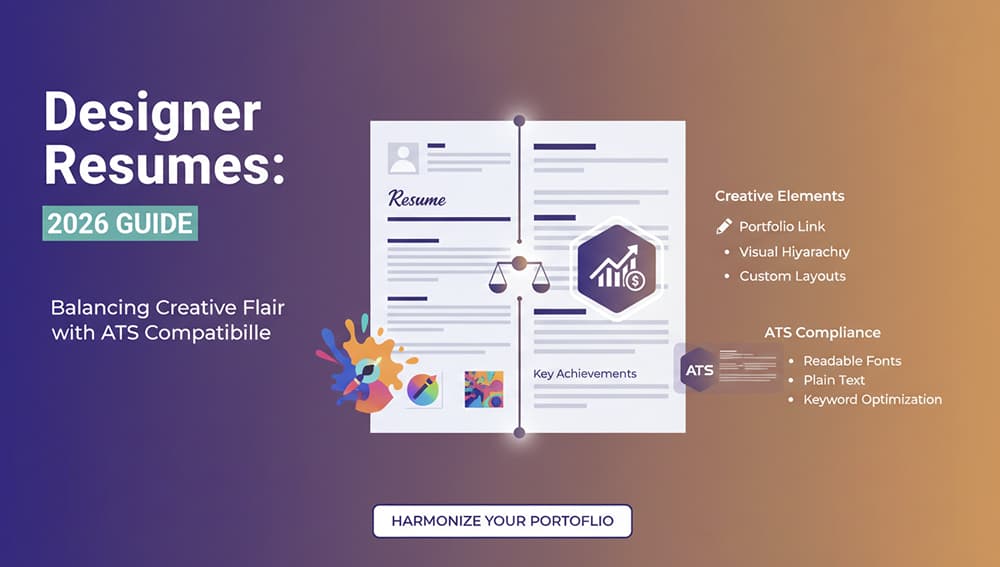
Для дизайнеров традиционное резюме — это не просто документ, а возможность продемонстрировать свои навыки и чувство стиля. Однако существует фундаментальная проблема: боты ATS (системы отслеживания кандидатов) не могут прочитать графические элементы, таблицы и нестандартные форматы. Это создает дилемму между желанием показать креатив и необходимостью пройти технический фильтр.
Как работают ATS системы и почему они отвергают креатив
Большинство компаний используют конструктор резюме в своей ATS системе, которая сканирует документы на предмет ключевых слов, дат и структурированной информации. Графические резюме, инфографика и необычные макеты для таких систем — это как иностранный язык. Боты просто не могут извлечь из них данные, что приводит к автоматическому отклонению даже у талантливых кандидатов.
Оптимальное решение для дизайнеров
Лучший подход — это двойная стратегия. Создайте чистое, структурированное резюме для ATS, используя стандартные шрифты, четкие заголовки и линейную структуру. Затем добавьте ссылку на ваше портфолио или Behance, где вы сможете продемонстрировать всю свою креативность и стиль.
Какие элементы избегать в ATS-резюме
- Текстовые поля и графические элементы
- Таблицы для структурирования информации
- Нестандартные шрифты и цветовая палитра
- Инфографика и визуализации данных
Что обязательно должно быть в резюме для ATS
- Четкая хронология опыта работы
- Ключевые слова из описания вакансии
- Стандартные заголовки (Опыт, Образование, Навыки)
- Контактная информация в текстовом формате
Создайте идеальное резюме с помощью AI
Современные AI карьерный помощник может помочь вам создать резюме, которое подойдет и для ATS, и для человеческого глаза. Используйте конструктор резюме, чтобы автоматически оптимизировать структуру документа под требования систем отслеживания.
Как использовать портфолио с пользой
Включите ссылку на ваше портфолио в самом верху резюме, сделав ее первым пунктом после контактной информации. Это гарантирует, что рекрутер увидит ваши лучшие работы, даже если сначала резюме просматривает бот.
Секреты успешного дизайнерского резюме
Используйте AI для анализа описаний вакансий и подбора релевантных ключевых слов. Это увеличит ваши шансы пройти через ATS фильтр. Помните, что даже самое красивое резюме бесполезно, если его никто не увидит из-за технических ограничений.
Готовы создать резюме, которое работает? gethired.work предлагает бесплатный конструктор резюме с AI-оптимизацией для ATS систем. Начните сейчас и получите больше откликов на ваши вакансии!
Читайте также

Будущее поиска работы: Как AI меняет правила игры
Резюме Product Manager: Как Подчеркнуть Метрики и Бизнес-Влияние
Смена профессии: Как выделить переносимые навыки в резюме

Как написать победное сопроводительное письмо с помощью AI
Навигация на европейском рынке труда: стандарты резюме в Германии и Нидерландах
